
.png)

AI Gmail Sender
Describe the email in a sentence — the AI writes and sends it
What is this project?
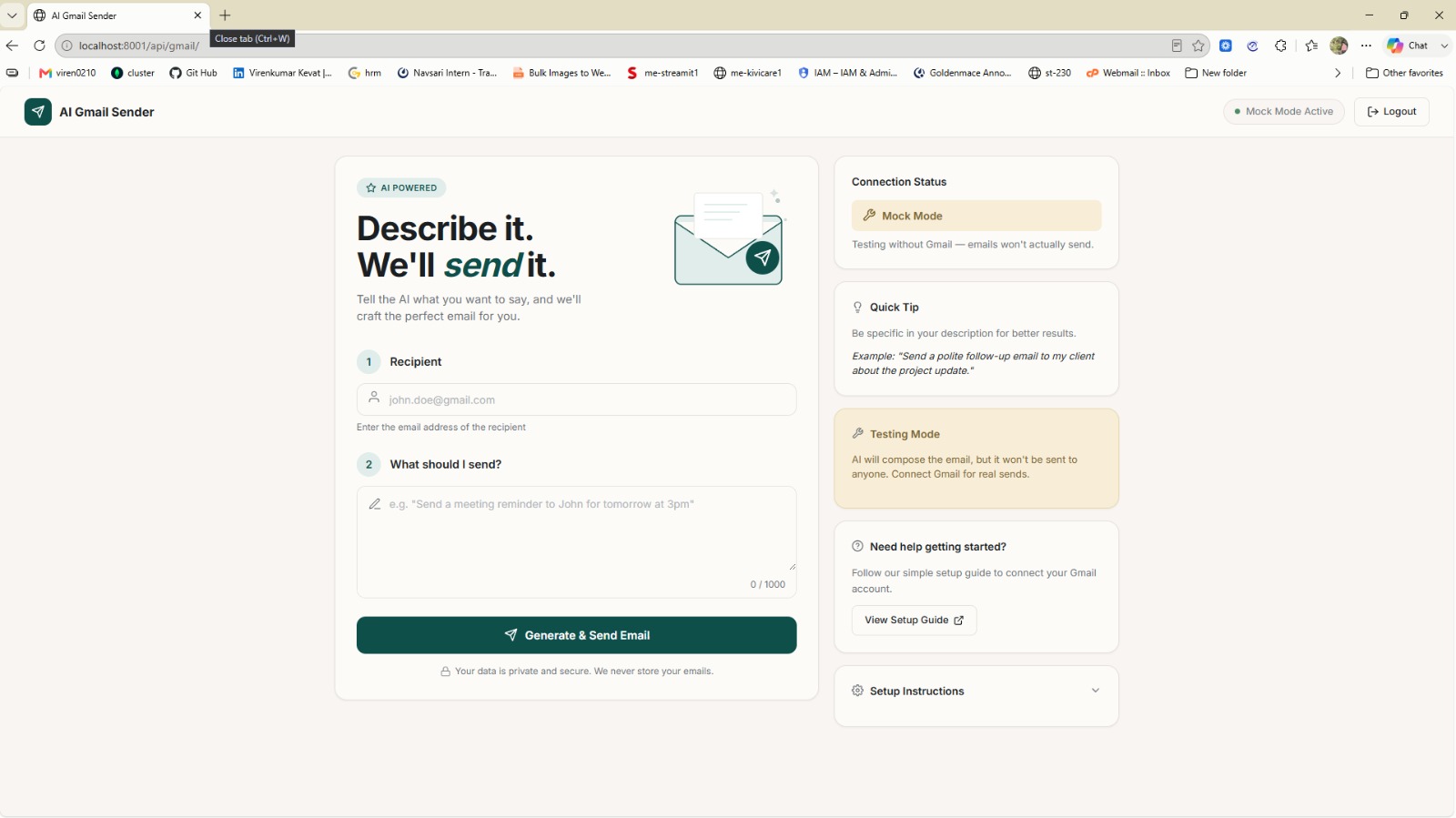
AI Gmail Sender collapses writing an email into two fields: who it goes to, and what you want to say. Describe the intent in plain language — "Send a polite follow-up email to my client about the project update" — and the AI composes the full message and delivers it through the Gmail API in one action.
The safety design is the interesting part. A prominent Mock Mode composes the email exactly as it would in production but sends nothing, so the flow can be demonstrated and tested without touching a real inbox. Connection status is shown at all times, and the app never stores the content of your emails.
Gmail connection is handled through a guided OAuth setup with an inline setup guide, so a non-technical user can get from install to first sent email without leaving the page.
Interface Gallery
Build Timeline
What's Included
- Natural-language email description with a 1000-character prompt
- AI composes and sends in a single action
- Mock Mode composes without sending, for safe testing
- Live connection status indicator
- Guided Gmail OAuth setup with an inline setup guide
- Recipient validation before sending
- Email content is never stored
- Contextual quick tips for better prompts