.png)
CodeLens — AI Code Reviewer & Explainer
Paste code, get a line-by-line explanation a junior can follow
What is this project?
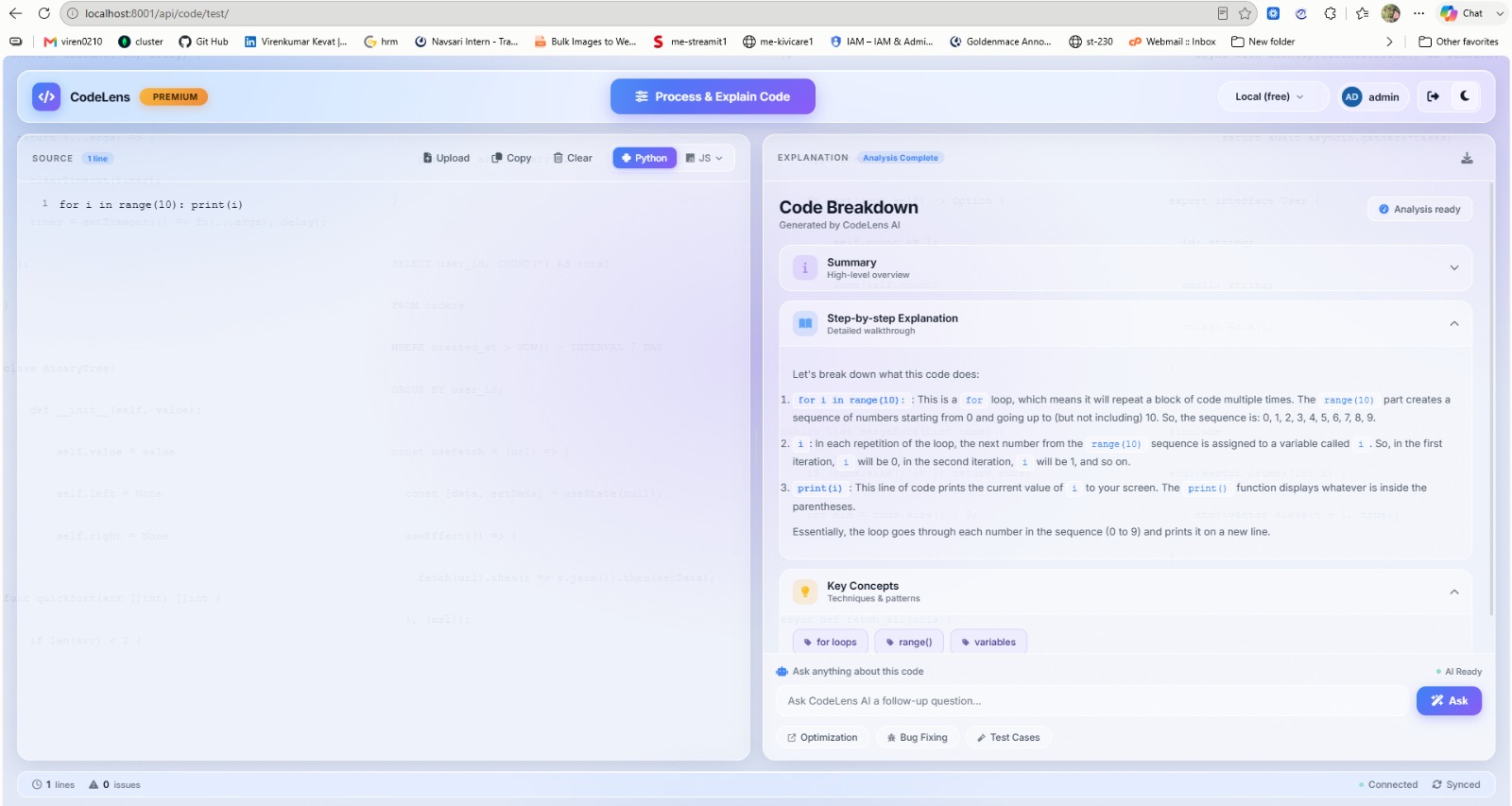
CodeLens exists for the moment you inherit code you did not write. Paste or upload a snippet, pick the language, and it returns a Code Breakdown in three layers: a high-level Summary for orientation, a numbered Step-by-step Explanation that walks each construct in order, and a Key Concepts strip that names the techniques in play — for loops, range(), variables — so the reader learns the pattern, not just this file.
The explanation panel is conversational. Once analysis completes, users can ask follow-up questions inline, or jump straight to one of three framed asks: Optimization, Bug Fixing, or Test Cases. A live status bar tracks line count and detected issues, and any breakdown can be exported.
The interface is deliberately split — source on the left, explanation on the right — so the reader never loses their place in the code while reading about it.
Interface Gallery
Build Timeline
What's Included
- Plain-English summary, step-by-step walkthrough and key-concept tagging
- Python and JavaScript analysis modes
- Paste, upload or clear source directly in the editor pane
- Inline follow-up questions on any completed analysis
- One-tap Optimization, Bug Fixing and Test Cases prompts
- Live line count and issue counter
- Export the generated breakdown
- Split source / explanation layout with light and dark themes