10 Business Processes You Can Automate With AI in 2026
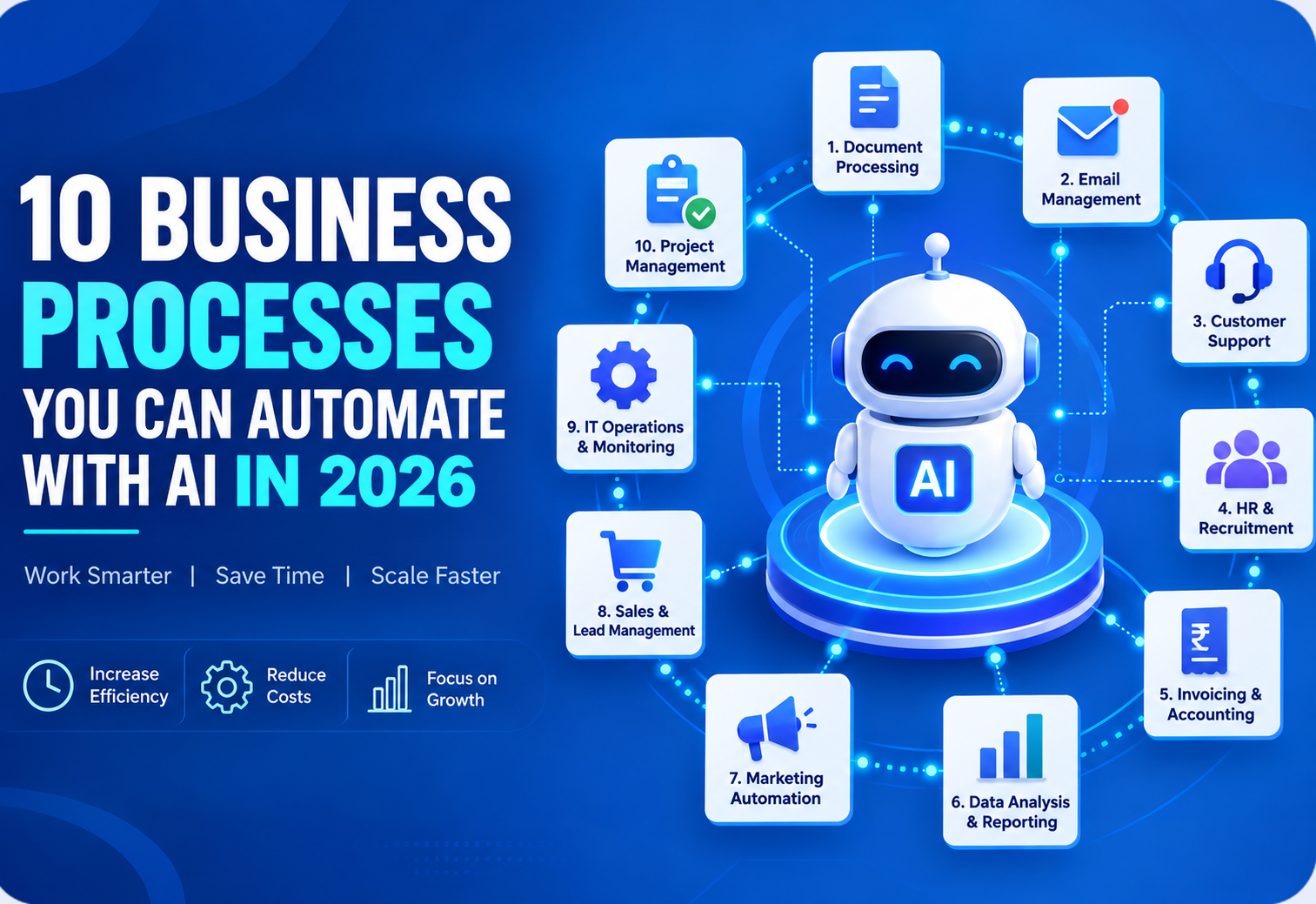
Artificial Intelligence is changing how businesses handle everyday operations. From answering customer questions to processing documents, qualifying leads, generating reports, and managing repetitive tasks, 𝗔𝗜 𝗮𝘂𝘁𝗼𝗺𝗮𝘁𝗶𝗼𝗻 𝗰𝗮𝗻 𝗵𝗲𝗹𝗽 𝗯𝘂𝘀𝗶𝗻𝗲𝘀𝘀𝗲𝘀 𝗿𝗲𝗱𝘂𝗰𝗲 𝗺𝗮𝗻𝘂𝗮𝗹 𝘄𝗼𝗿𝗸 𝗮𝗻𝗱 𝗰𝗿𝗲𝗮𝘁𝗲 𝗺𝗼𝗿𝗲 𝗲𝗳𝗳𝗶𝗰𝗶𝗲𝗻𝘁 𝘄𝗼𝗿𝗸𝗳𝗹𝗼𝘄𝘀. But AI automation isn't about replacing every human task. The real opportunity is to identify the 𝗿𝗲𝗽𝗲𝘁𝗶𝘁𝗶𝘃𝗲, 𝘁𝗶𝗺𝗲-𝗰𝗼𝗻𝘀𝘂𝗺𝗶𝗻𝗴 𝗮𝗻𝗱 𝗿𝘂𝗹𝗲-𝗯𝗮𝘀𝗲𝗱 𝗽𝗿𝗼𝗰𝗲𝘀𝘀𝗲𝘀 in your business and use AI to make them faster and more efficient. In this article, we'll explore 𝟭𝟬 𝗯𝘂𝘀𝗶𝗻𝗲𝘀𝘀 𝗽𝗿𝗼𝗰𝗲𝘀𝘀𝗲𝘀 𝘆𝗼𝘂 𝗰𝗮𝗻 𝗮𝘂𝘁𝗼𝗺𝗮𝘁𝗲 𝘄𝗶𝘁𝗵 𝗔𝗜 𝗶𝗻 𝟮𝟬𝟮𝟲, along with practical examples, benefits, and technologies that businesses can use.
What Is AI Automation for Businesses?
𝗔𝗜 𝗮𝘂𝘁𝗼𝗺𝗮𝘁𝗶𝗼𝗻 combines Artificial Intelligence with automated workflows to perform tasks that traditionally require human intervention.
Traditional automation generally follows predefined rules:
𝗜𝗳 𝗫 𝗵𝗮𝗽𝗽𝗲𝗻𝘀 → 𝗗𝗼 𝗬
AI-powered automation can handle more complex situations:
Understand the information → Make a decision → Take action
For example, traditional automation might send the same email to every customer.
An AI-powered workflow could understand a customer's message, identify their intent, generate a relevant response, update the CRM, and escalate the conversation to a human when necessary.
This makes AI automation particularly useful for businesses dealing with large amounts of 𝘁𝗲𝘅𝘁, 𝗱𝗼𝗰𝘂𝗺𝗲𝗻𝘁𝘀, 𝗰𝘂𝘀𝘁𝗼𝗺𝗲𝗿 𝗶𝗻𝘁𝗲𝗿𝗮𝗰𝘁𝗶𝗼𝗻𝘀 𝗮𝗻𝗱 𝘂𝗻𝘀𝘁𝗿𝘂𝗰𝘁𝘂𝗿𝗲𝗱 𝗱𝗮𝘁𝗮.
1. Customer Support Automation
Customer support is one of the most common areas where businesses can implement AI automation.
Businesses often receive repetitive questions such as:
• What are your business hours?
• Where is my order?
• What is your return policy?
• How much does this service cost?
• How can I reset my password?
• What documents do I need?
Instead of requiring an employee to answer every repetitive question, an AI assistant can handle common queries automatically.
Example AI workflow
𝗖𝘂𝘀𝘁𝗼𝗺𝗲𝗿 𝗺𝗲𝘀𝘀𝗮𝗴𝗲
↓
𝗔𝗜 𝘂𝗻𝗱𝗲𝗿𝘀𝘁𝗮𝗻𝗱𝘀 𝘁𝗵𝗲 𝗾𝘂𝗲𝘀𝘁𝗶𝗼𝗻
↓
𝗥𝗲𝘁𝗿𝗶𝗲𝘃𝗲𝘀 𝗿𝗲𝗹𝗲𝘃𝗮𝗻𝘁 𝗶𝗻𝗳𝗼𝗿𝗺𝗮𝘁𝗶𝗼𝗻
↓
𝗚𝗲𝗻𝗲𝗿𝗮𝘁𝗲𝘀 𝗿𝗲𝘀𝗽𝗼𝗻𝘀𝗲
↓
𝗥𝗲𝘀𝗼𝗹𝘃𝗲𝘀 𝗶𝘀𝘀𝘂𝗲 𝗼𝗿 𝘁𝗿𝗮𝗻𝘀𝗳𝗲𝗿𝘀 𝘁𝗼 𝗵𝘂𝗺𝗮𝗻
𝗔𝗱𝘃𝗮𝗻𝗰𝗲𝗱 𝗮𝘂𝘁𝗼𝗺𝗮𝘁𝗶𝗼𝗻
An AI support system can also:
• Detect customer sentiment
• Categorize support tickets
• Prioritize urgent requests
• Create support tickets
• Summarize conversations
• Escalate complex problems
𝗕𝘂𝘀𝗶𝗻𝗲𝘀𝘀 𝗯𝗲𝗻𝗲𝗳𝗶𝘁𝘀
AI-powered customer support can help businesses provide faster responses while allowing support teams to focus on more complex customer issues.
2. Lead Qualification and Lead Management
Sales teams often spend significant time identifying which leads are worth pursuing.
AI can automate parts of the lead qualification process.
For example, when a new lead enters your system, AI can analyze:
• Company information
• Customer requirements
• Budget
• Industry
• Previous interactions
• Purchase intent
The system can then assign a lead score.
𝗘𝘅𝗮𝗺𝗽𝗹𝗲
𝗡𝗲𝘄 𝗟𝗲𝗮𝗱
↓
𝗔𝗜 𝗮𝗻𝗮𝗹𝘆𝘇𝗲𝘀 𝗹𝗲𝗮𝗱 𝗶𝗻𝗳𝗼𝗿𝗺𝗮𝘁𝗶𝗼𝗻
↓
𝗟𝗲𝗮𝗱 𝘀𝗰𝗼𝗿𝗶𝗻𝗴
↓
𝗛𝗶𝗴𝗵-𝗶𝗻𝘁𝗲𝗻𝘁 𝗹𝗲𝗮𝗱 → 𝗦𝗮𝗹𝗲𝘀 𝘁𝗲𝗮𝗺
𝗟𝗼𝘄-𝗶𝗻𝘁𝗲𝗻𝘁 𝗹𝗲𝗮𝗱 → 𝗔𝘂𝘁𝗼𝗺𝗮𝘁𝗲𝗱 𝗳𝗼𝗹𝗹𝗼𝘄-𝘂𝗽
This can help sales teams prioritize their time and respond to promising opportunities faster.
𝗔𝗜 𝗰𝗮𝗻 𝗮𝗹𝘀𝗼 𝗮𝘂𝘁𝗼𝗺𝗮𝘁𝗲:
• Lead categorization
• Email personalization
• Follow-up reminders
• CRM updates
• Lead summaries
• Meeting preparation
3. Email Management and Response Automation
Employees can spend a significant amount of time reading and responding to emails.
AI can help automate repetitive email workflows.
For example:
𝗜𝗻𝗰𝗼𝗺𝗶𝗻𝗴 𝗘𝗺𝗮𝗶𝗹
↓
𝗔𝗜 𝗮𝗻𝗮𝗹𝘆𝘇𝗲𝘀 𝗶𝗻𝘁𝗲𝗻𝘁
↓
𝗖𝗮𝘁𝗲𝗴𝗼𝗿𝗶𝘇𝗲𝘀 𝗲𝗺𝗮𝗶𝗹
↓
𝗘𝘅𝘁𝗿𝗮𝗰𝘁𝘀 𝗶𝗺𝗽𝗼𝗿𝘁𝗮𝗻𝘁 𝗶𝗻𝗳𝗼𝗿𝗺𝗮𝘁𝗶𝗼𝗻
↓
𝗚𝗲𝗻𝗲𝗿𝗮𝘁𝗲𝘀 𝗿𝗲𝘀𝗽𝗼𝗻𝘀𝗲
↓
𝗥𝗼𝘂𝘁𝗲𝘀 𝗼𝗿 𝘀𝗲𝗻𝗱𝘀 𝗲𝗺𝗮𝗶𝗹
AI can categorize emails into:
• Sales inquiries
• Customer support
• Complaints
• Billing
• Partnership requests
• Internal communication
For sensitive or important emails, the system can generate a suggested response that a human reviews before sending.
𝗪𝗵𝘆 𝘁𝗵𝗶𝘀 𝗺𝗮𝘁𝘁𝗲𝗿𝘀
The goal isn't necessarily to automate every email.
Instead, AI can reduce the amount of manual reading, categorization and drafting employees need to do.
4. Document Processing and Data Extraction
Businesses work with large numbers of documents every day.
Examples include:
• Invoices
• Purchase orders
• Contracts
• Applications
• Reports
• Resumes
• Forms
• PDFs
Manually extracting information from these documents can be slow and error-prone.
AI-powered document processing can automatically:
• Read the document
• Extract relevant information
• Classify the document
• Validate information
• Send the data to another system
𝗘𝘅𝗮𝗺𝗽𝗹𝗲
𝗜𝗻𝘃𝗼𝗶𝗰𝗲 𝗣𝗗𝗙
↓
𝗔𝗜 𝗲𝘅𝘁𝗿𝗮𝗰𝘁𝘀 𝗶𝗻𝘃𝗼𝗶𝗰𝗲 𝗻𝘂𝗺𝗯𝗲𝗿
↓
𝗘𝘅𝘁𝗿𝗮𝗰𝘁𝘀 𝘃𝗲𝗻𝗱𝗼𝗿
↓
𝗘𝘅𝘁𝗿𝗮𝗰𝘁𝘀 𝗮𝗺𝗼𝘂𝗻𝘁
↓
𝗘𝘅𝘁𝗿𝗮𝗰𝘁𝘀 𝗱𝗮𝘁𝗲
↓
𝗨𝗽𝗱𝗮𝘁𝗲𝘀 𝗮𝗰𝗰𝗼𝘂𝗻𝘁𝗶𝗻𝗴 𝘀𝘆𝘀𝘁𝗲𝗺
This can significantly reduce repetitive data-entry work.
5. Report Generation and Business Summaries
Businesses regularly create reports from operational data.
Examples include:
• Sales reports
• Marketing reports
• Customer reports
• Financial summaries
• Performance reports
• Inventory reports
Instead of manually collecting information from multiple sources, AI can help generate structured summaries.
𝗘𝘅𝗮𝗺𝗽𝗹𝗲 𝘄𝗼𝗿𝗸𝗳𝗹𝗼𝘄
𝗕𝘂𝘀𝗶𝗻𝗲𝘀𝘀 𝗗𝗮𝘁𝗮
↓
𝗗𝗮𝘁𝗮 𝗣𝗿𝗼𝗰𝗲𝘀𝘀𝗶𝗻𝗴
↓
𝗔𝗜 𝗔𝗻𝗮𝗹𝘆𝘀𝗶𝘀
↓
𝗜𝗻𝘀𝗶𝗴𝗵𝘁𝘀
↓
𝗔𝘂𝘁𝗼𝗺𝗮𝘁𝗲𝗱 𝗥𝗲𝗽𝗼𝗿𝘁
↓
𝗘𝗺𝗮𝗶𝗹 / 𝗗𝗮𝘀𝗵𝗯𝗼𝗮𝗿𝗱
𝗔𝗻 𝗔𝗜 𝘀𝘆𝘀𝘁𝗲𝗺 𝗰𝗼𝘂𝗹𝗱 𝘀𝘂𝗺𝗺𝗮𝗿𝗶𝘇𝗲:
Sales increased this month, with the strongest growth coming from a particular product category.
It could also highlight unusual changes and important trends for management review.
6. Internal Knowledge Management
As businesses grow, information becomes scattered across:
• PDFs
• Documents
• Emails
• Knowledge bases
• Internal websites
• Product documentation
• Company policies
Employees may spend considerable time searching for information.
An AI-powered internal knowledge assistant can provide a single interface for accessing company information.
𝗘𝘅𝗮𝗺𝗽𝗹𝗲
An employee asks:
"What is our process for approving a new vendor?"
The AI system searches the company's approved knowledge sources and provides an answer based on the relevant documents.
𝗧𝗲𝗰𝗵𝗻𝗼𝗹𝗼𝗴𝗶𝗲𝘀 𝗶𝗻𝘃𝗼𝗹𝘃𝗲𝗱
• This type of system often uses:
• Large Language Models
• Embeddings
• Vector databases
• Retrieval-Augmented Generation (RAG)
• APIs
𝗕𝘂𝘀𝗶𝗻𝗲𝘀𝘀 𝗯𝗲𝗻𝗲𝗳𝗶𝘁
Employees spend less time searching through documents and more time working on productive tasks.
7. Marketing Content Automation
Marketing teams create content across multiple channels.
This includes:
• Blog posts
• Social media posts
• Product descriptions
• Email campaigns
• Ad copy
• Newsletters
AI can assist with many parts of the content workflow.
𝗙𝗼𝗿 𝗲𝘅𝗮𝗺𝗽𝗹𝗲:
𝗖𝗮𝗺𝗽𝗮𝗶𝗴𝗻 𝗶𝗻𝗳𝗼𝗿𝗺𝗮𝘁𝗶𝗼𝗻
↓
𝗔𝗜 𝗴𝗲𝗻𝗲𝗿𝗮𝘁𝗲𝘀 𝗰𝗼𝗻𝘁𝗲𝗻𝘁 𝗶𝗱𝗲𝗮𝘀
↓
𝗖𝗿𝗲𝗮𝘁𝗲𝘀 𝗱𝗿𝗮𝗳𝘁𝘀
↓
𝗔𝗱𝗮𝗽𝘁𝘀 𝗰𝗼𝗻𝘁𝗲𝗻𝘁 𝗳𝗼𝗿 𝗱𝗶𝗳𝗳𝗲𝗿𝗲𝗻𝘁 𝗽𝗹𝗮𝘁𝗳𝗼𝗿𝗺𝘀
↓
𝗛𝘂𝗺𝗮𝗻 𝗿𝗲𝘃𝗶𝗲𝘄
↓
𝗣𝘂𝗯𝗹𝗶𝘀𝗵
AI can also help personalize content for different customer segments.
However, human review remains important for maintaining brand voice, accuracy and quality.
8. Meeting Summaries and Action Items
Meetings can generate a large amount of information, but employees don't always have time to manually document everything.
AI meeting assistants can:
• Transcribe conversations
• Summarize discussions
• Identify decisions
• Extract action items
• Identify responsible team members
• Generate follow-up emails
Example
𝗠𝗲𝗲𝘁𝗶𝗻𝗴
↓
𝗔𝗜 𝘁𝗿𝗮𝗻𝘀𝗰𝗿𝗶𝗽𝘁𝗶𝗼𝗻
↓
𝗖𝗼𝗻𝘃𝗲𝗿𝘀𝗮𝘁𝗶𝗼𝗻 𝗮𝗻𝗮𝗹𝘆𝘀𝗶𝘀
↓
𝗦𝘂𝗺𝗺𝗮𝗿𝘆
↓
𝗔𝗰𝘁𝗶𝗼𝗻 𝗶𝘁𝗲𝗺𝘀
↓
𝗧𝗮𝘀𝗸 𝗺𝗮𝗻𝗮𝗴𝗲𝗺𝗲𝗻𝘁 𝘀𝘆𝘀𝘁𝗲𝗺
Instead of manually writing meeting notes, teams receive a structured summary after the meeting.
This is especially useful for sales, project management and management teams.
9. HR and Recruitment Automation
Recruitment involves many repetitive processes.
AI can assist with:
• Resume screening
• Candidate matching
• Job description generation
• Interview scheduling
• Candidate communication
• Resume summarization
• Skill extraction
For example, an AI system can compare candidate resumes against a job description and identify relevant skills and experience for recruiter review.
𝗘𝘅𝗮𝗺𝗽𝗹𝗲 𝘄𝗼𝗿𝗸𝗳𝗹𝗼𝘄
𝗥𝗲𝘀𝘂𝗺𝗲 𝗿𝗲𝗰𝗲𝗶𝘃𝗲𝗱
↓
𝗔𝗜 𝗲𝘅𝘁𝗿𝗮𝗰𝘁𝘀 𝗶𝗻𝗳𝗼𝗿𝗺𝗮𝘁𝗶𝗼𝗻
↓
𝗦𝗸𝗶𝗹𝗹𝘀 𝗶𝗱𝗲𝗻𝘁𝗶𝗳𝗶𝗲𝗱
↓
𝗖𝗼𝗺𝗽𝗮𝗿𝗲𝗱 𝘄𝗶𝘁𝗵 𝗷𝗼𝗯 𝗿𝗲𝗾𝘂𝗶𝗿𝗲𝗺𝗲𝗻𝘁𝘀
↓
𝗖𝗮𝗻𝗱𝗶𝗱𝗮𝘁𝗲 𝘀𝘂𝗺𝗺𝗮𝗿𝘆
↓
𝗥𝗲𝗰𝗿𝘂𝗶𝘁𝗲𝗿 𝗿𝗲𝘃𝗶𝗲𝘄
AI should support recruiters rather than make high-impact hiring decisions without appropriate human oversight.
10. CRM and Business Workflow Automation
Many businesses use CRM systems to manage leads and customers, but employees still have to manually update records.
AI can help automate CRM workflows.
𝗙𝗼𝗿 𝗲𝘅𝗮𝗺𝗽𝗹𝗲:
𝗖𝘂𝘀𝘁𝗼𝗺𝗲𝗿 𝗶𝗻𝘁𝗲𝗿𝗮𝗰𝘁𝗶𝗼𝗻
↓
𝗔𝗜 𝗮𝗻𝗮𝗹𝘆𝘇𝗲𝘀 𝗰𝗼𝗻𝘃𝗲𝗿𝘀𝗮𝘁𝗶𝗼𝗻
↓
𝗘𝘅𝘁𝗿𝗮𝗰𝘁𝘀 𝗶𝗺𝗽𝗼𝗿𝘁𝗮𝗻𝘁 𝗶𝗻𝗳𝗼𝗿𝗺𝗮𝘁𝗶𝗼𝗻
↓
𝗨𝗽𝗱𝗮𝘁𝗲𝘀 𝗖𝗥𝗠
↓
𝗖𝗿𝗲𝗮𝘁𝗲𝘀 𝗳𝗼𝗹𝗹𝗼𝘄-𝘂𝗽 𝘁𝗮𝘀𝗸
↓
𝗡𝗼𝘁𝗶𝗳𝗶𝗲𝘀 𝘀𝗮𝗹𝗲𝘀 𝗿𝗲𝗽𝗿𝗲𝘀𝗲𝗻𝘁𝗮𝘁𝗶𝘃𝗲
AI can also summarize previous customer interactions before a sales meeting.
This gives sales teams useful context without requiring them to manually read through every previous interaction.
Which Business Processes Should You Automate First?
You don't need to automate everything at once.
Start by identifying processes that are:
𝟭. 𝗥𝗲𝗽𝗲𝘁𝗶𝘁𝗶𝘃𝗲
Employees perform the same task frequently.
𝟮. 𝗧𝗶𝗺𝗲-𝗰𝗼𝗻𝘀𝘂𝗺𝗶𝗻𝗴
The task consumes significant working hours.
𝟯. 𝗗𝗮𝘁𝗮-𝗵𝗲𝗮𝘃𝘆
The process involves large amounts of text, documents or structured data.
𝟰. 𝗥𝘂𝗹𝗲-𝗱𝗿𝗶𝘃𝗲𝗻
The workflow follows a predictable sequence.
𝟱. 𝗛𝗶𝗴𝗵-𝘃𝗼𝗹𝘂𝗺𝗲
The business receives hundreds or thousands of similar requests.
𝟲. 𝗘𝗮𝘀𝗶𝗹𝘆 𝗺𝗲𝗮𝘀𝘂𝗿𝗮𝗯𝗹𝗲
You can measure the time, cost or efficiency improvement after automation.
How to Identify an AI Automation Opportunity
Before implementing AI, ask these questions:
What task takes employees the most time?
How frequently is the task performed?
Does the task involve repetitive decisions?
Does it involve documents, emails, text or customer conversations?
Can the process be integrated with existing software?
What happens if the AI makes a mistake?
Can a human review important decisions?
These questions can help determine whether AI automation is actually appropriate.
The Future of Business Automation
AI automation is moving beyond simple chatbots.
Businesses are increasingly looking at AI systems that can understand information, interact with software, retrieve knowledge and complete multi-step workflows.
For example:
A customer sends an inquiry → AI understands the request → checks company information → qualifies the lead → updates the CRM → schedules a meeting → notifies the sales team.
This is where AI automation and agentic AI can become particularly valuable.
The goal isn't simply to add AI to a business.
The goal is to create smarter business workflows.
Final Thoughts
AI automation can help businesses reduce repetitive work, improve response times and allow employees to focus on higher-value activities.
But successful AI automation starts with the right problem, not the latest AI technology.
Instead of asking:
"Where can we use AI?"
Businesses should ask:
"Which processes are slowing our team down, and can AI improve them?"
Start with one process.
Measure the current workflow.
Identify where manual work happens.
Design the AI-powered workflow.
Integrate it with your existing systems.
Measure the results.
Then expand.
The businesses that benefit most from AI won't necessarily be the ones using the most AI.
They'll be the ones using it where it creates measurable business value.
Looking to Automate Your Business With AI?
ProjectsHub helps businesses design and develop AI-powered automation solutions tailored to their workflows and existing systems.
From AI assistants and document processing to RAG systems, intelligent workflows and custom AI integrations, the right automation can turn repetitive processes into smarter, scalable workflows.
Have a process that takes too much time? It may be a good candidate for AI automation.
